

Things you ask your guests. Worth turning on when your guests bring the food, not the venue. All event tools →
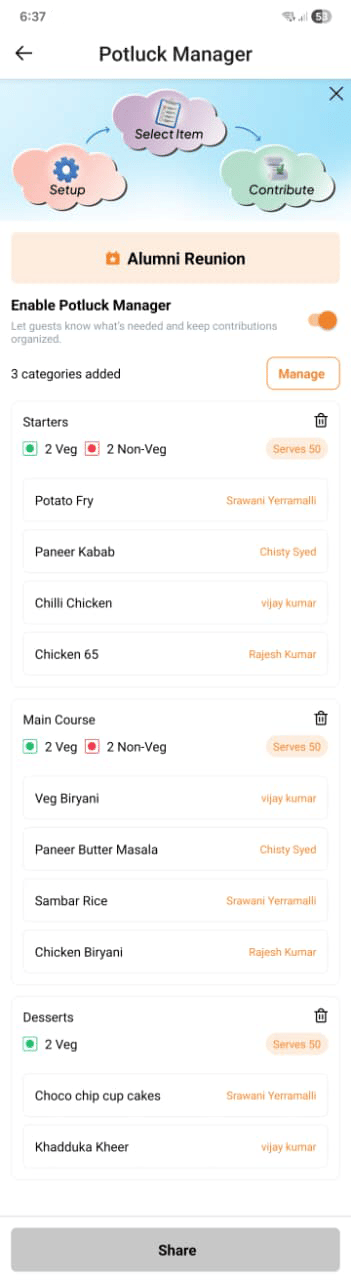
Creating a potluck
Open Potluck Manager from your Event Page and set up your categories. For each category you can define:
You can have as many categories as you need.
Publishing the potluck
The sign-up sheet is hidden from guests until you publish it. Once published, guests see the categories and available slots on their invitation page and can claim a slot and enter what they plan to bring. You can re-publish after edits — changes appear for guests straight away.Tracking contributions
From the Potluck tab, you can see:- Which slots are filled and which are still open
- Each guest’s name and what they’ve signed up to bring
- A count of how many slots remain across all categories