

Things you ask your guests. Worth turning on when people will want to give something. Set up your payment details before you invite, since guests can’t give until they exist. All event tools →
Enabling gifts
Gifts are off by default. To turn them on, open your event, go to Gifting, and toggle gifts on. Once enabled, guests will see the gifting options from their invitation view.Digital Gifting
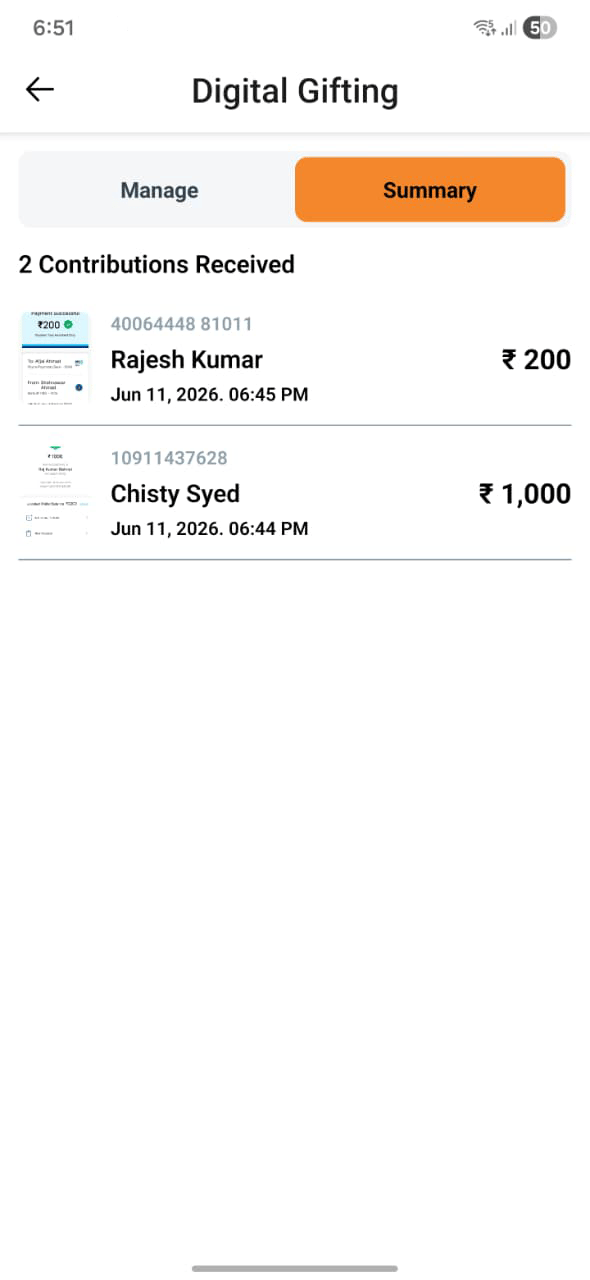
Digital Gifting lets guests send cash gifts electronically. Three methods are supported: UPI QR code Upload your UPI QR code so guests can scan it and pay directly through their preferred UPI app. Payment screenshot Guests can complete a transfer via any method and upload a screenshot as proof of payment. You’ll see the screenshots in the gifting dashboard. Gift cards Guests can send digital gift cards, which are collected and displayed in your gifting summary. All received digital gifts appear in the Gifting Summary view, giving you a quick overview of what you’ve received.Best Wishes
Best Wishes lets guests send a personal message — a note, a memory, or a warm wish — attached to your event. For guests:- Write a message up to 2,000 characters.
- Optionally attach up to 2 media files (photos or videos).
- Submit from their invitation link.
- Customize the banner text shown on the Best Wishes page — set a personal prompt or a themed heading.
- View all submitted wishes in one place from the event dashboard.