

Things you ask your guests. Worth turning on when you’re feeding people and someone needs numbers. Switch it on before you invite, so guests are asked when they RSVP. All event tools →
Food preference data is shown only to you as the event host. Guests only see the options, not each other’s selections.
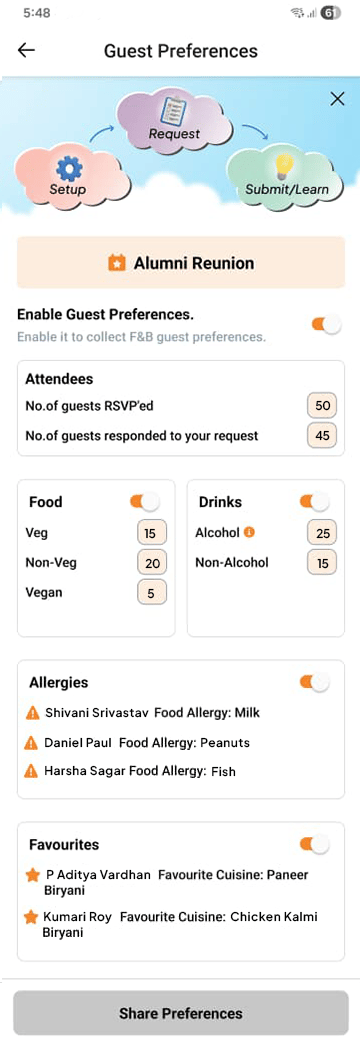
Setting up preferences
Open Guest Preferences from your Event Page and add the food and drink options relevant to your menu. Common options include:- No restrictions
- Vegetarian
- Vegan
- Gluten-free
- Dairy-free
- Nut allergy
- Halal
- Kosher
Enabling guest responses
Preferences are hidden from guests until you enable them. Once enabled, guests see the options on their invitation page and can select whatever applies to them. You can enable and disable guest responses at any time without losing the data already collected.Viewing responses
From the Food & Beverage tab, you can:- See a summary count for each preference option (e.g. “4 guests selected Vegetarian”)
- View individual guest selections
- Export the full list as a spreadsheet — useful for sharing with a caterer or planning your shopping