

Things you ask your guests. Worth turning on when people are coming from out of town or staying over. Switch it on before you invite, so guests are asked when they RSVP. All event tools →
Travel & Stay is most useful for destination events, retreats, house parties, and weddings where guests are traveling from out of town or staying overnight.
How guests submit their details
Guests open the Travel & Stay section from their invitation link and complete a 4-step form:1
Arrival
- Arrival date and time
- Luggage count: No Bags, 1–2 bags, 3–4 bags, or 5+ bags
2
Room
- Bed configuration preference: King Bed, Twin Beds, or Double + Single
- Check-in date and time
- Check-out date and time
3
Departure
- Departure date and time
- Luggage count (with a souvenir variant for guests who pick up gifts or items during the event)
4
Review
Guests review their submitted details and confirm.
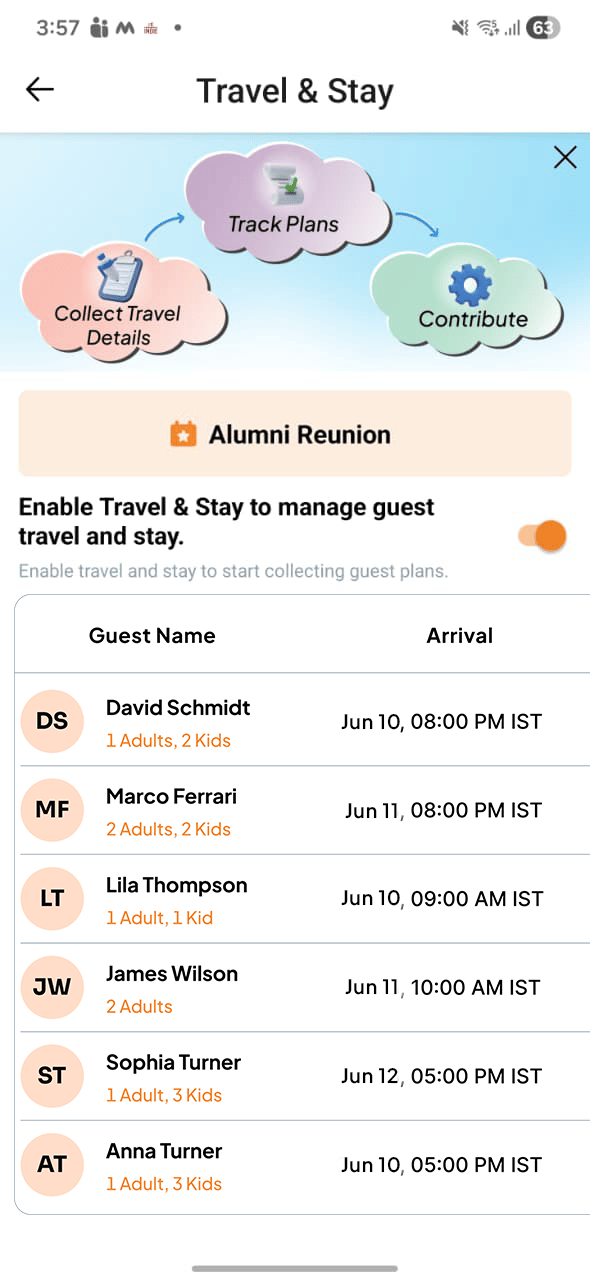
Host management view
As the host, you see all submitted travel and stay details in one consolidated view:- Who is arriving and when
- Luggage counts (useful for coordinating transport)
- Room preferences and check-in/check-out windows
- Departure times