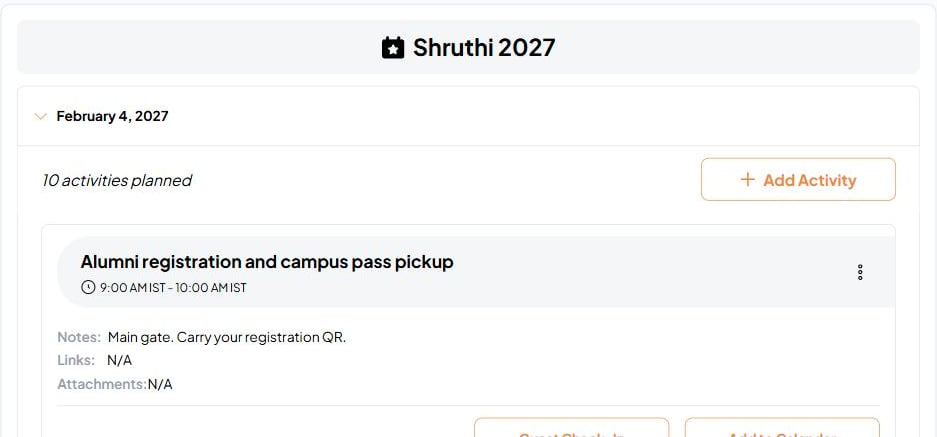
The Event Schedule lets you build a timeline for your event and share it with guests so everyone knows what to expect and when.
Event Schedule screenshot

Creating activities

Go to the Agenda tab of your event and click Add activity. Each activity has:
FieldDetails
TitleWhat’s happening — e.g. “Welcome drinks”, “Dinner”, “Cake cutting”
Start timeWhen the activity begins
End timeWhen the activity finishes
NotesOptional description or instructions
Location or roomOptional — useful for multi-room events
LinksOptional. Attach a URL and label (e.g. a menu, a presentation, or a map)
File attachmentsOptional. Attach up to 5 files per activity
Activities are sorted automatically by start time. If two activities overlap, Fast Party flags it with a warning so you can adjust.

Attaching files to activities

You can attach up to 5 files to any activity. Supported types include PDF documents, Excel spreadsheets, Word documents, photos, and other common file types. Attached files are visible to guests when you publish the agenda — useful for sharing presentation decks, menus, or briefing documents alongside a specific activity.

Publishing the schedule

Your schedule is private until you publish it. Once published, guests can view the full timeline from their invitation link — no account required. If you update the schedule after publishing, guests see the latest version immediately. There’s no need to re-publish after edits.

Exporting as PDF

Export the full schedule as a PDF from the agenda page. Useful for printing, sharing offline, or keeping a record of your event timeline.

Unpublishing

You can unpublish the schedule at any time. Guests can no longer see it, but your data is saved and can be republished later.

Guest check-in from the schedule

Hosts can check in guests directly from the agenda page. The Guest Check-In view shows your guest list and lets you mark each person as arrived. For QR code check-in, see Self Check-In.
Ask Antsy to build the schedule for you: “Set up a timeline — cocktails at 6, dinner at 7:30, dessert at 9 — and publish it.” Antsy creates all the activities and publishes in one go.