

Image placeholder: hero. Fast Party on a laptop and a phone side by side, showing the Home page. (Desktop + mobile.)
Use it wherever you are
On the web
Sign in at app.fastparty.ai. Nothing to install.
On your phone
The Fast Party app for iPhone and Android.
In Claude or ChatGPT
Connect once, then plan your event in a chat.
Everything starts on your Home page
Your events, your circles and your organizations, in one place. Create something new, or pick up where you left off.Image placeholder: Home page with My Events, My Circles and My Organization. (Desktop + mobile.)
Create an event in minutes
Pick an invitation design, then add the name, date, time and place. Everything else can wait.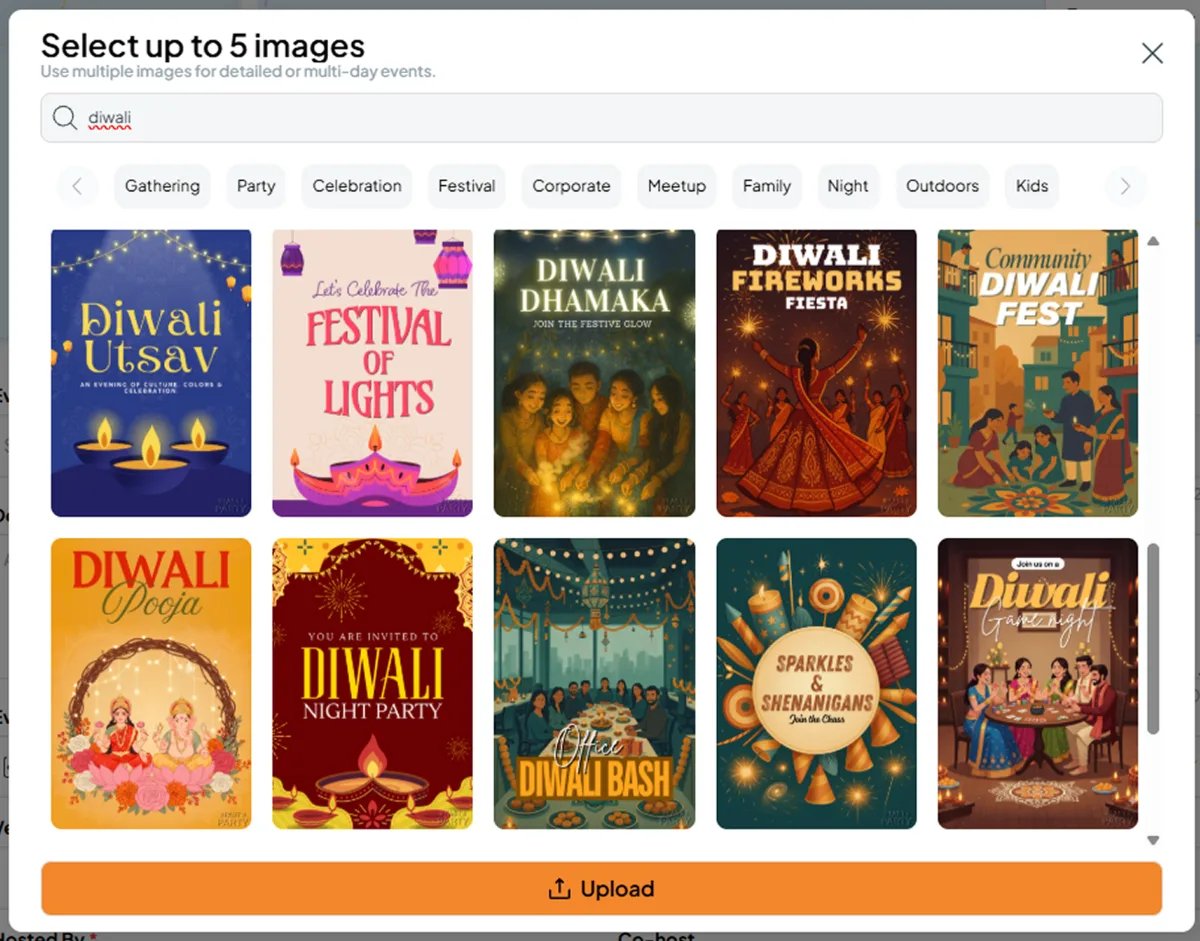
Pick an invitation from the template store, or upload your own.
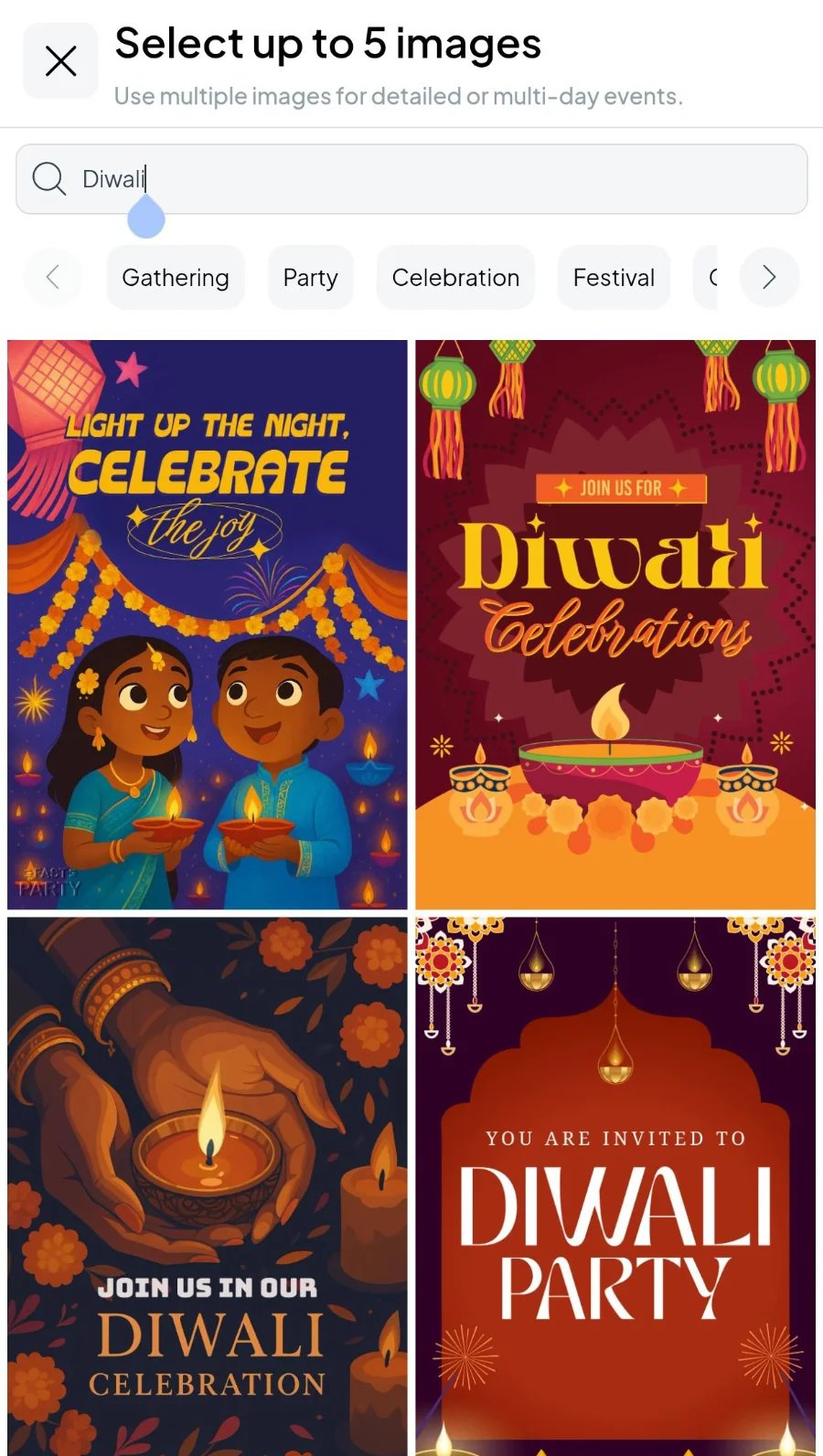
Pick an invitation from the template store, or upload your own.
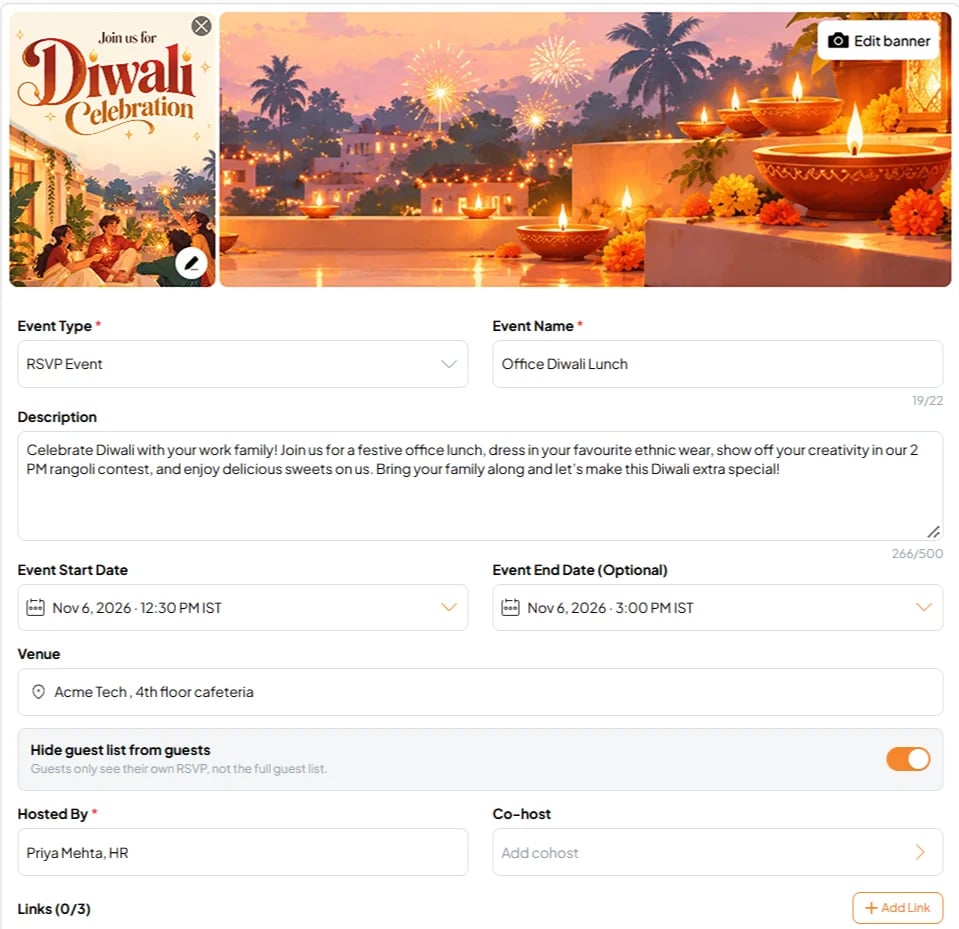
Add the name, date, time and place.
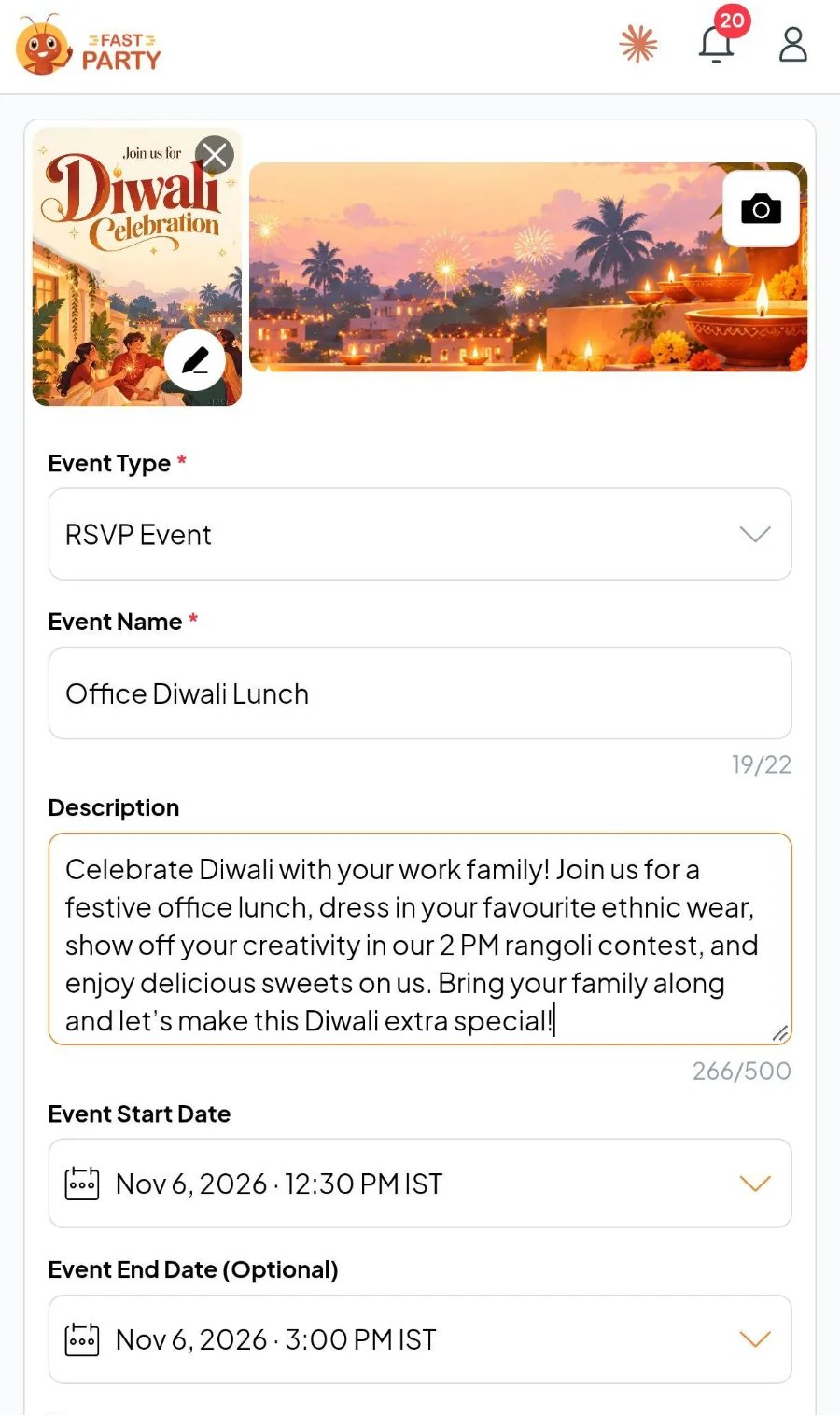
Add the name, date, time and place.
One page your guests see
Your Event Page holds the invitation, the details and every tool you switch on. It’s where you set things up, and it’s what your guests open.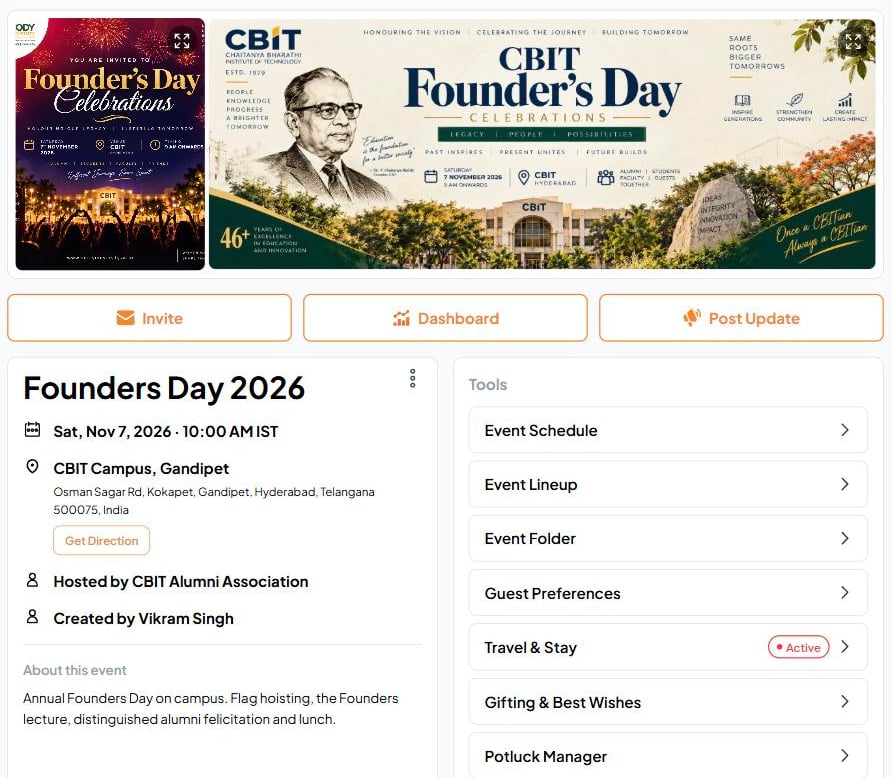
An Event Page: the invitation, the details, and the tools down the side.
Your guests don’t need the app
Share one link on WhatsApp or email. Guests RSVP in a tap, say how many adults and kids are coming, and add their food preferences in the same go.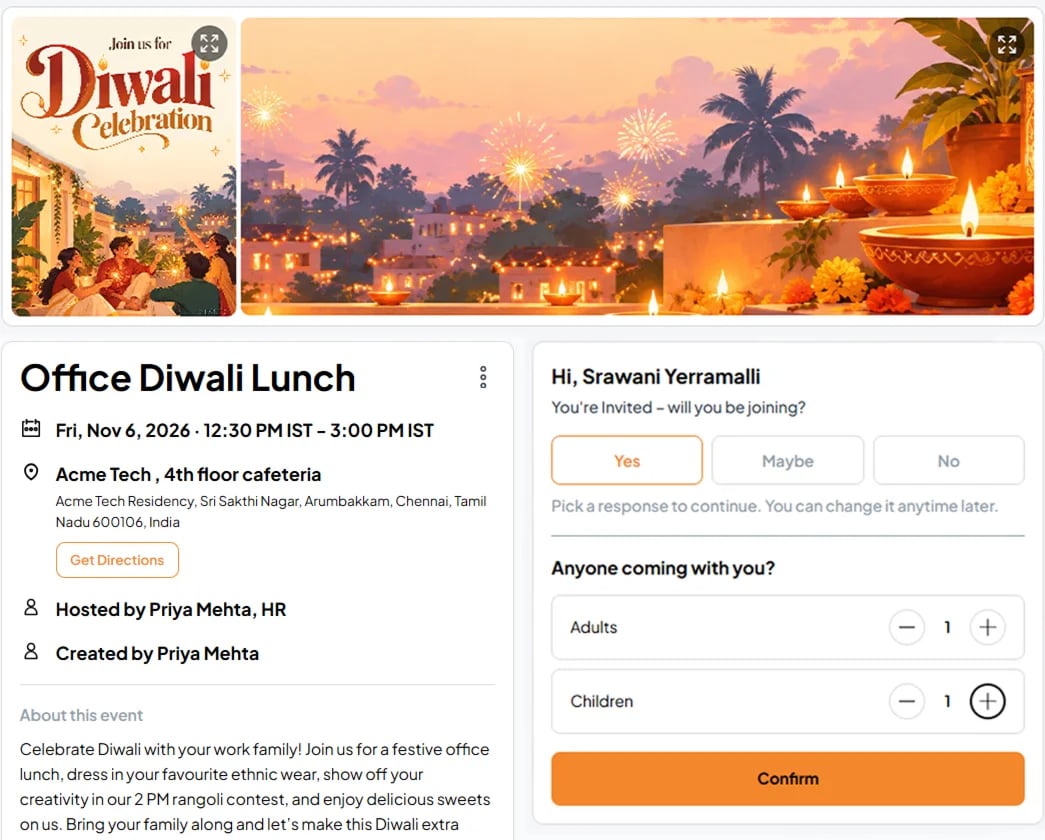
What a guest sees: one tap to RSVP.
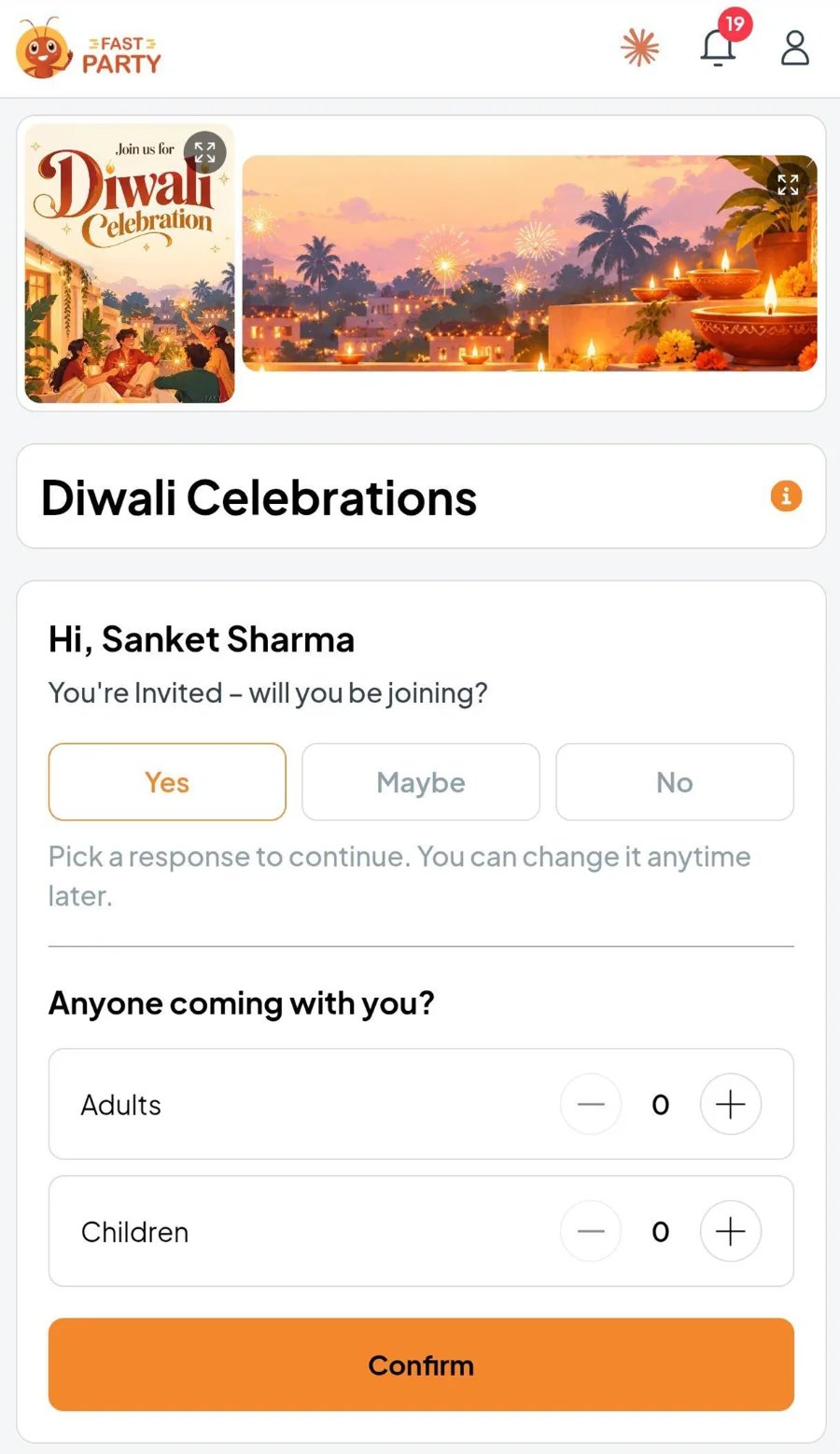
What a guest sees: one tap to RSVP.
Switch on only the tools you need
Each tool is off until you turn it on. A few favorites:- Guest Preferences
- Potluck Manager
- Tasks
- Check-In
- Photos
Veg, vegan, allergies and drinks, collected with the RSVP and added up for the caterer.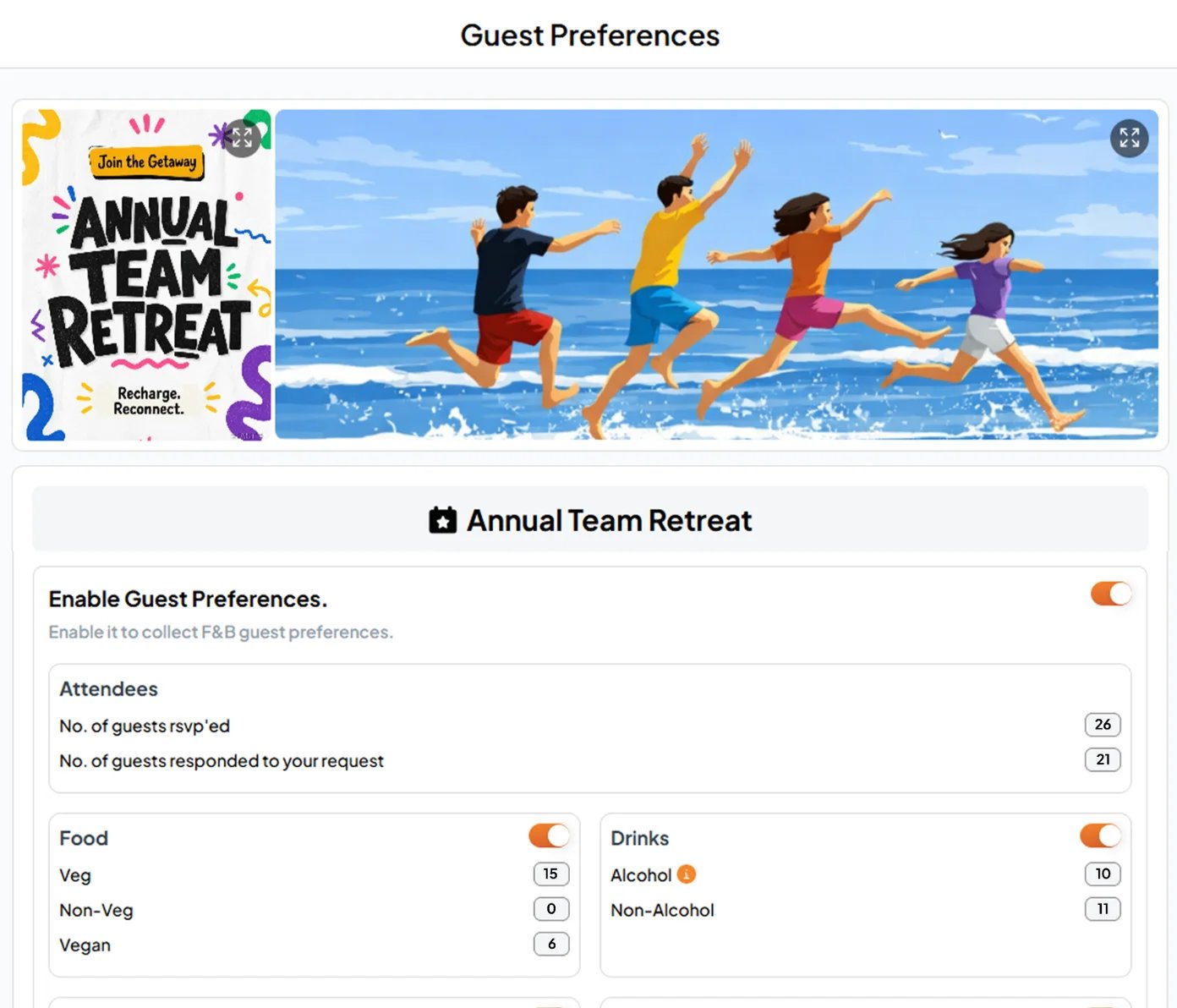
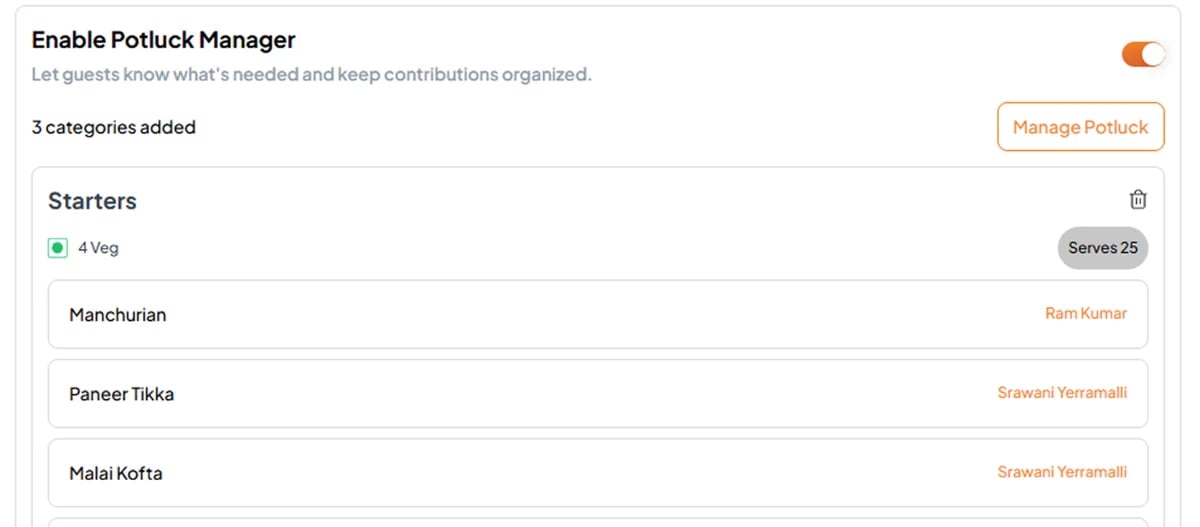
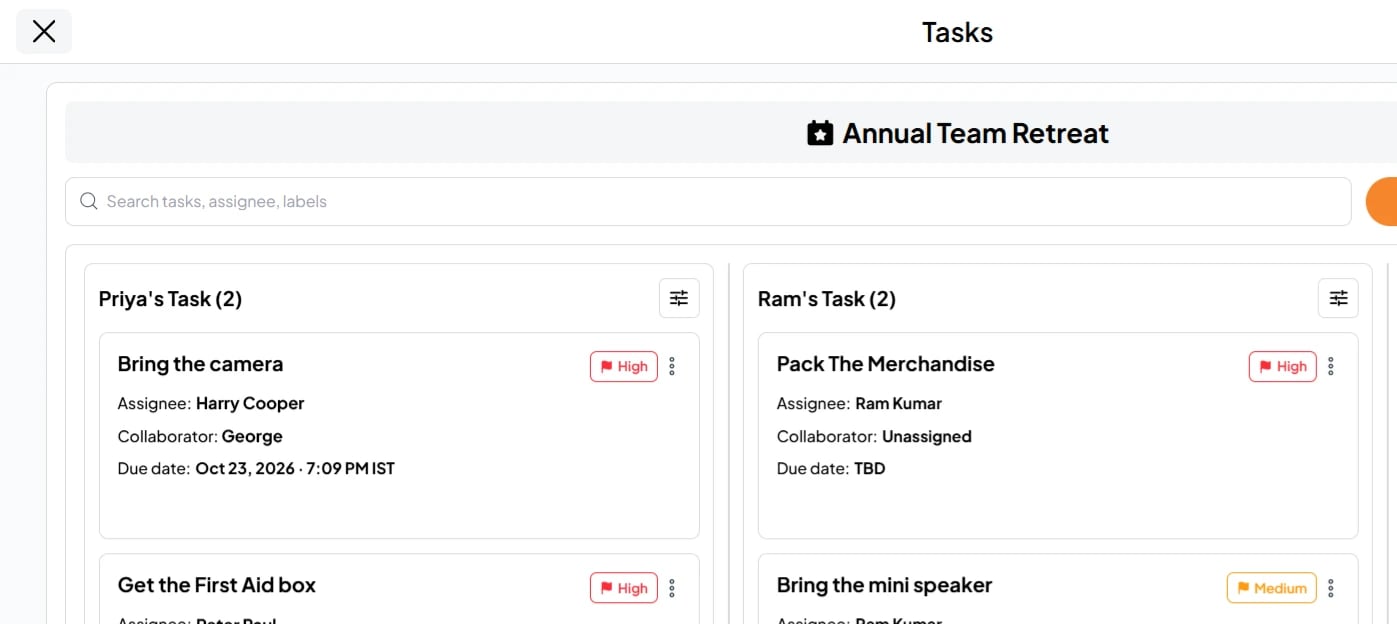
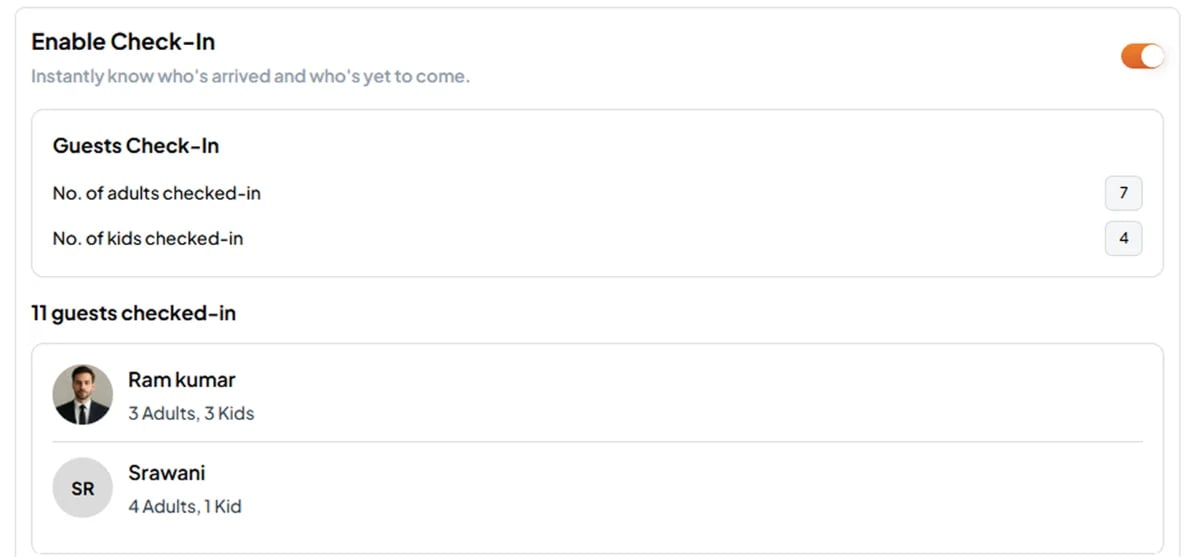
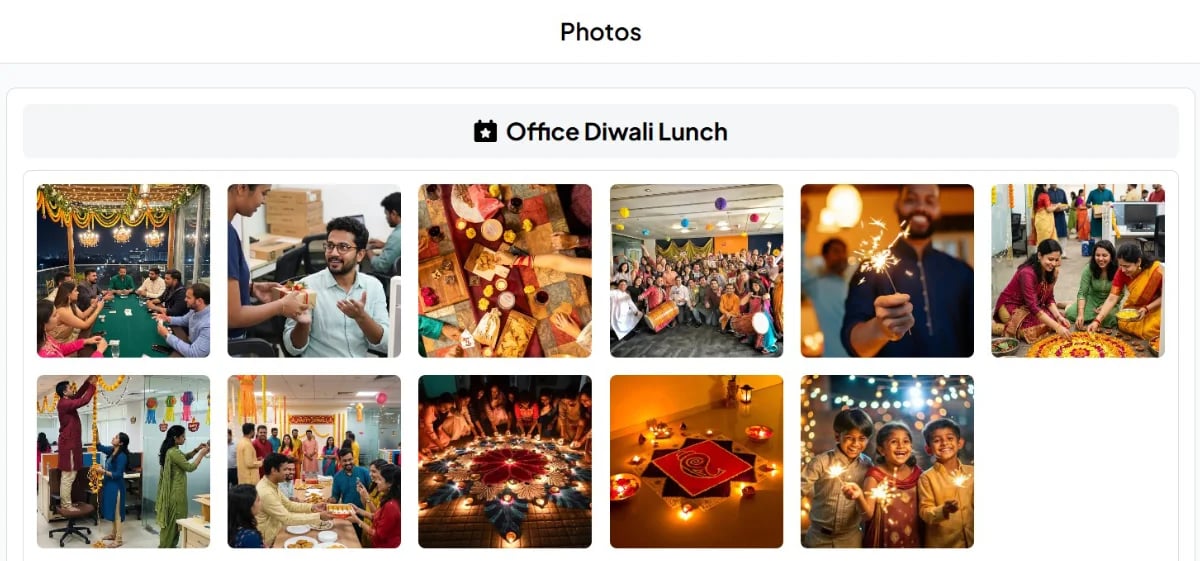
Run the day from the Event Dashboard
RSVPs as they arrive, reminders to anyone who hasn’t replied, tasks and check-ins, all in one view.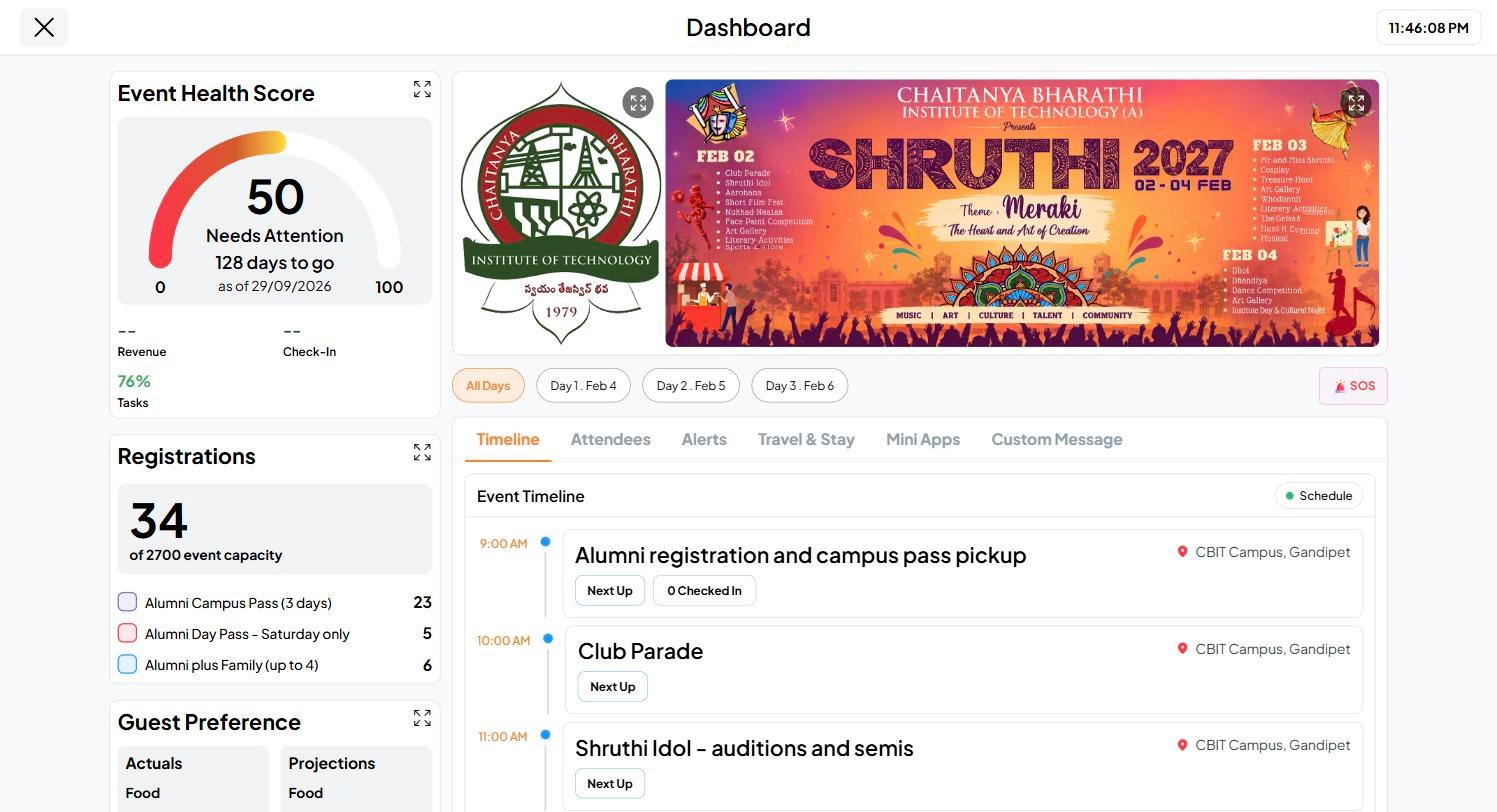
The Event Dashboard: everything about the event, live.
Same people, every time: Circles
Save a group once (the family, the team, the book club, the college batch) and every event goes to them in one tap. Circles also have posts, polls and surveys between events. Learn about circles →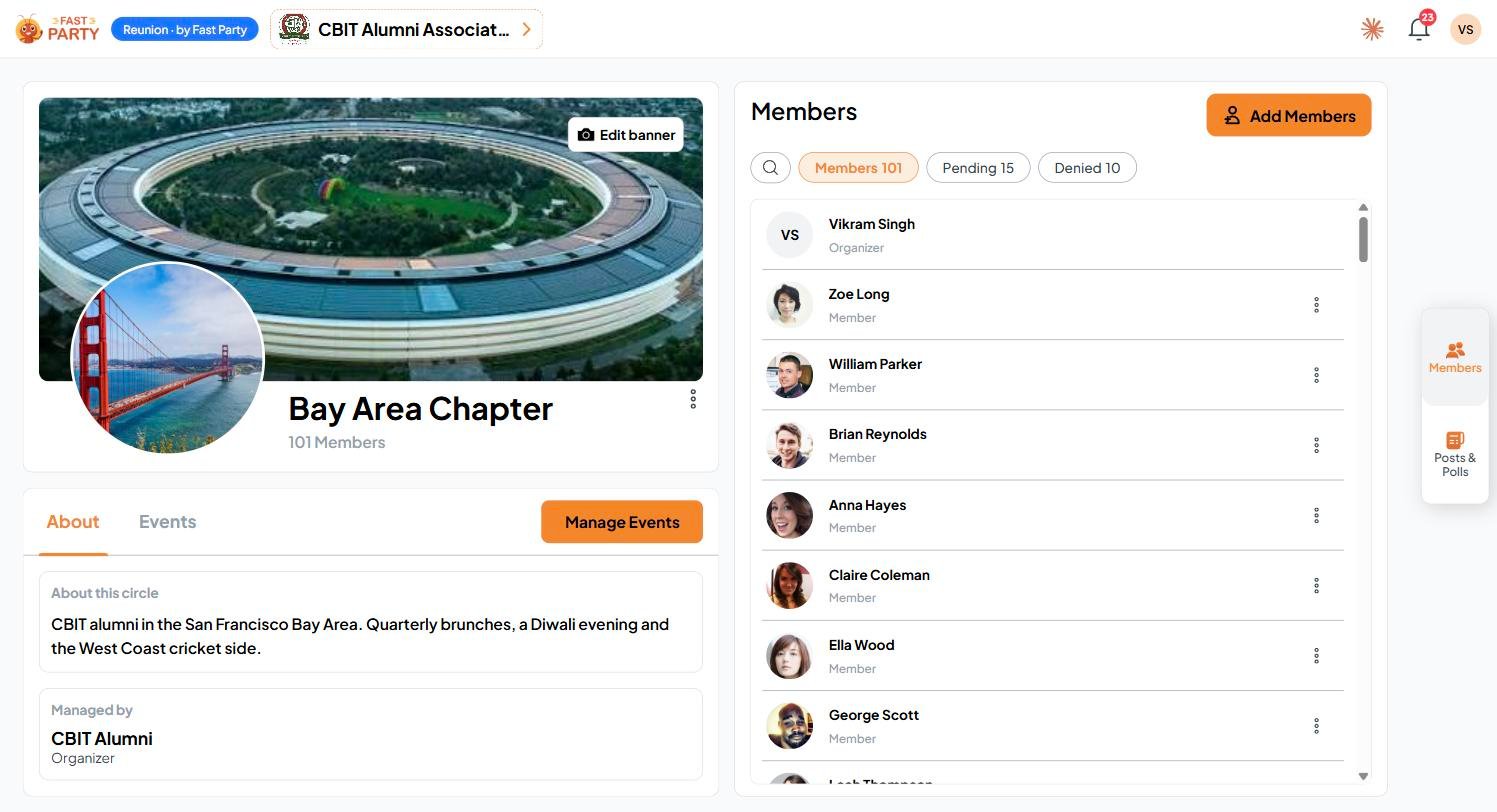
A Circle: members, events and updates in one place.
Running it for an organization?
Alumni associations, clubs, planners and companies get one roster, their own brand and channels, payments into their own account, and an Admin Dashboard across every circle and event. How Fast Party works →Image placeholder: Admin Dashboard with the Org Circles, Org Events, Org Members and Needs attention tiles. (Desktop + mobile.)
Ask Antsy
Antsy is your guide inside the app. Tap Ask Antsy on any screen to learn what that tool does and what to do next. Meet Antsy →Image placeholder: Ask Antsy panel open on an Event Page, once Antsy is live. (Desktop + mobile.)
Plan it in Claude
Click the Claude icon in the top bar of the app (it reads Connect to Claude), then just ask:“Plan our office Diwali lunch for 60 people on Friday 6 November, and collect everyone’s food preferences.”Claude creates the event and sets up the tools. It asks before it sends any invitations. Connect your AI →

Image placeholder: Claude chat creating an event from one message, with the event then showing in Fast Party. (Desktop + mobile.)
Signing in
On the sign-in page, use whichever is easiest:- Phone number: choose your country code, enter your number, tap Send verification code, then enter the code.
- Email: tap Use email instead, enter your email address and the code we send you.
- Google or Microsoft: one tap with the account you already have.
Image placeholder: the new sign-in page, once the updated login screen is live. (Desktop + mobile.)
Ready?
Sign in to Fast Party
Create your first event at app.fastparty.ai