

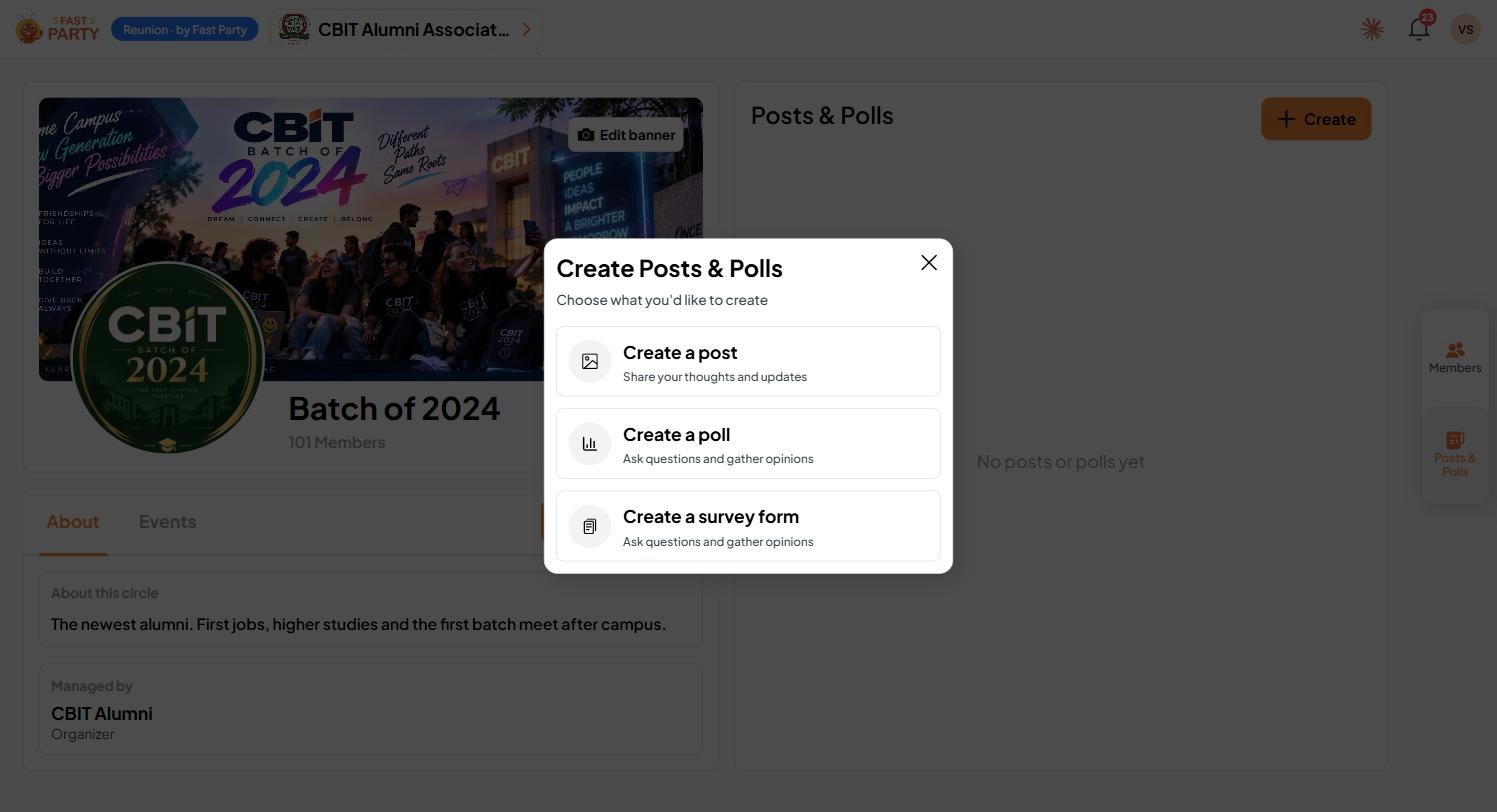
Post
Share your thoughts, news and photos with the circle: a welcome for new members, photos from the last meet, or a reminder of what’s coming up.Collect contributions on a post
In an organization, a post can also collect money for a cause: a scholarship fund, a batch gift, relief for a member in need, or the kitty for the next reunion. Members contribute straight from the post.Contributions go through your organization’s own Razorpay account, so the money goes straight to you. Fast Party never holds it. If no account is listed, an admin needs to add one first in organization settings.
Poll
Ask one question with a few options, such as which date works best, and set how long the poll stays open.Survey form
When you need several answers at once, let AI build the form for you. You describe what you want to find out, and Fast Party writes a complete survey: a title, a description, and a set of questions, each with the right way to answer.1
Describe what you want to collect
Choose Create a survey form and write a line or two in plain language, then click Generate a survey form.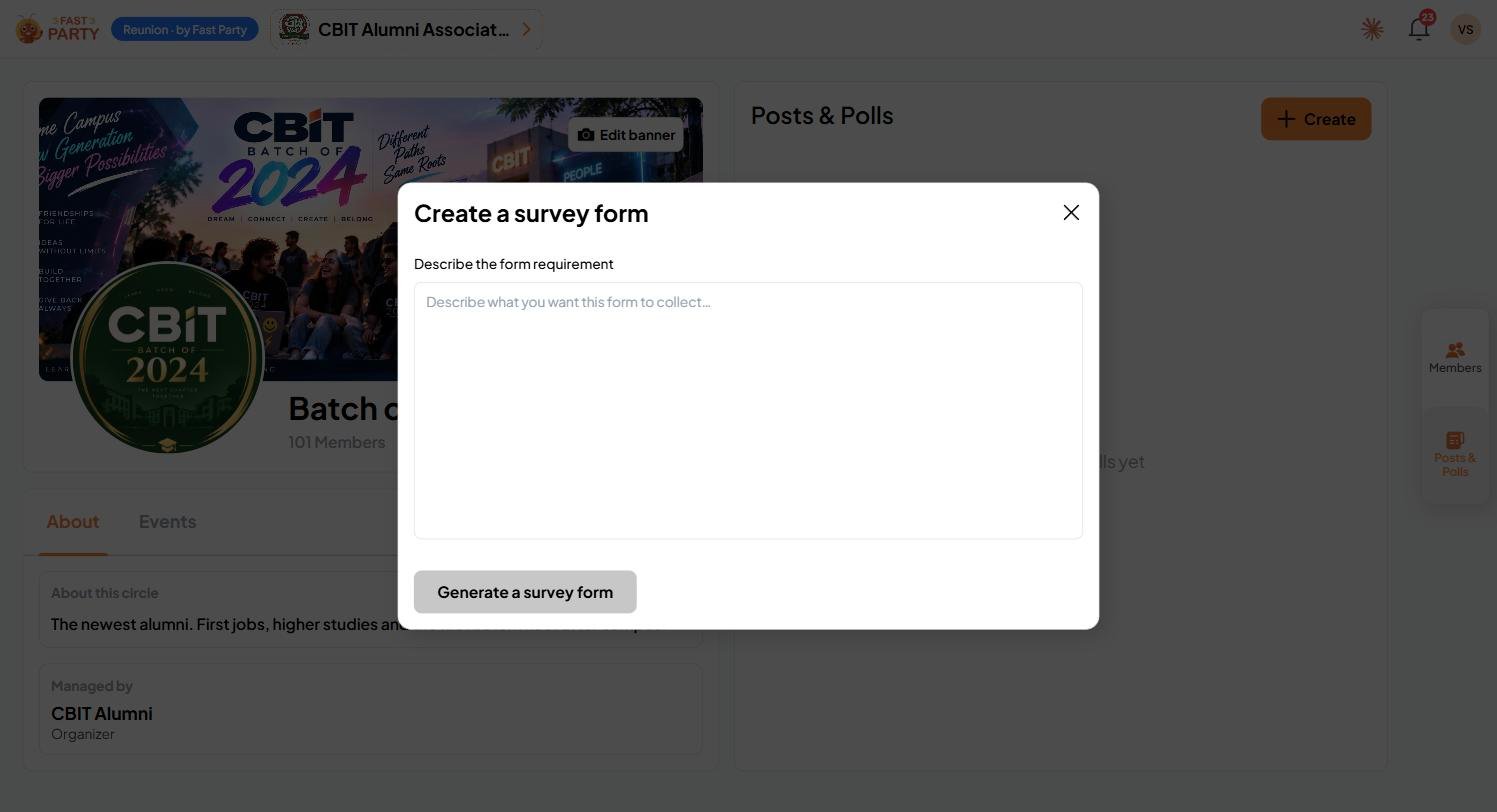
2
Review the form it builds
You get a ready-to-send survey with a Form Title, a Form Description and the questions. Each question comes with a suitable answer type, such as a 1 to 5 rating from Low to High.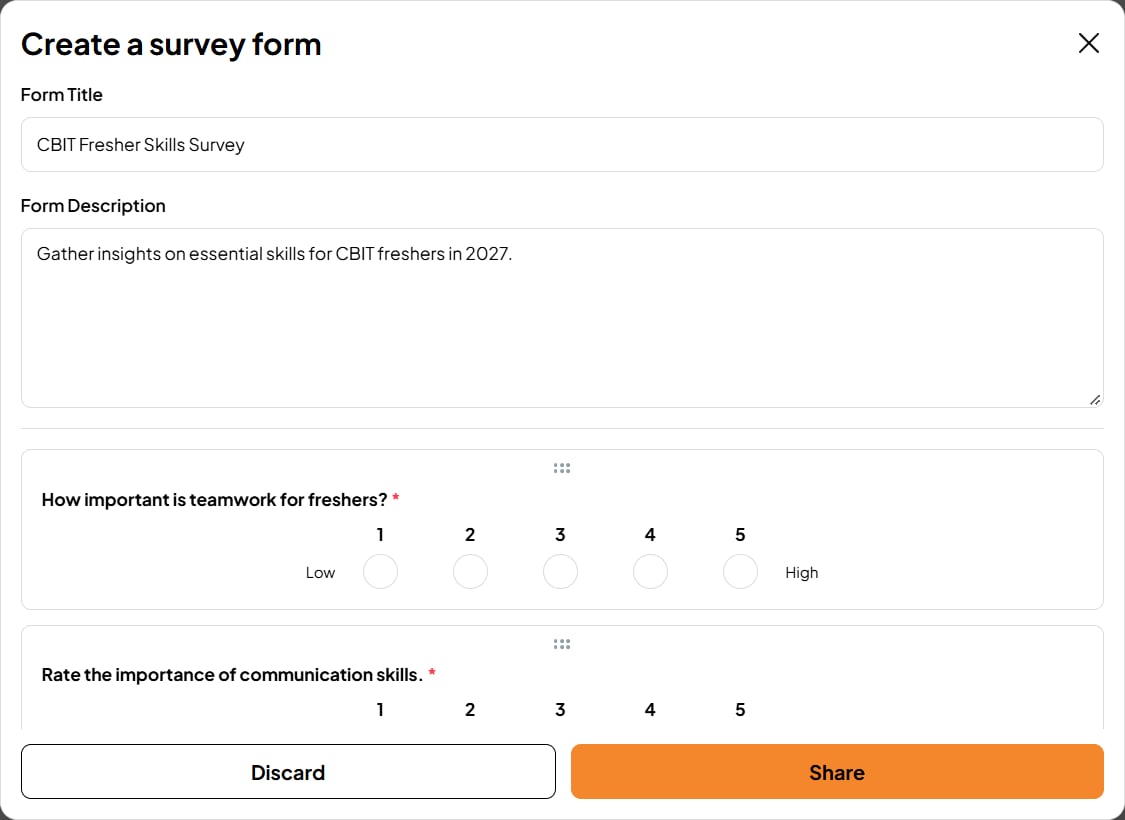
3
Make it yours
Everything is editable before you send it:
- Edit the title, description or any question’s wording
- Change the answer type, for example from a text answer to a rating
- Delete questions you don’t need
- Reorder questions by dragging the handle at the top of each one
4
Share it
Click Share to send the survey to the circle, or Discard to start again.