> ## Documentation Index
> Fetch the complete documentation index at: https://docs.fastparty.ai/llms.txt
> Use this file to discover all available pages before exploring further.
# Photos
> Capture and share event memories with your guests in a shared album.
Fast Party includes a shared photo album so you and your guests can collect and browse event memories in one place.
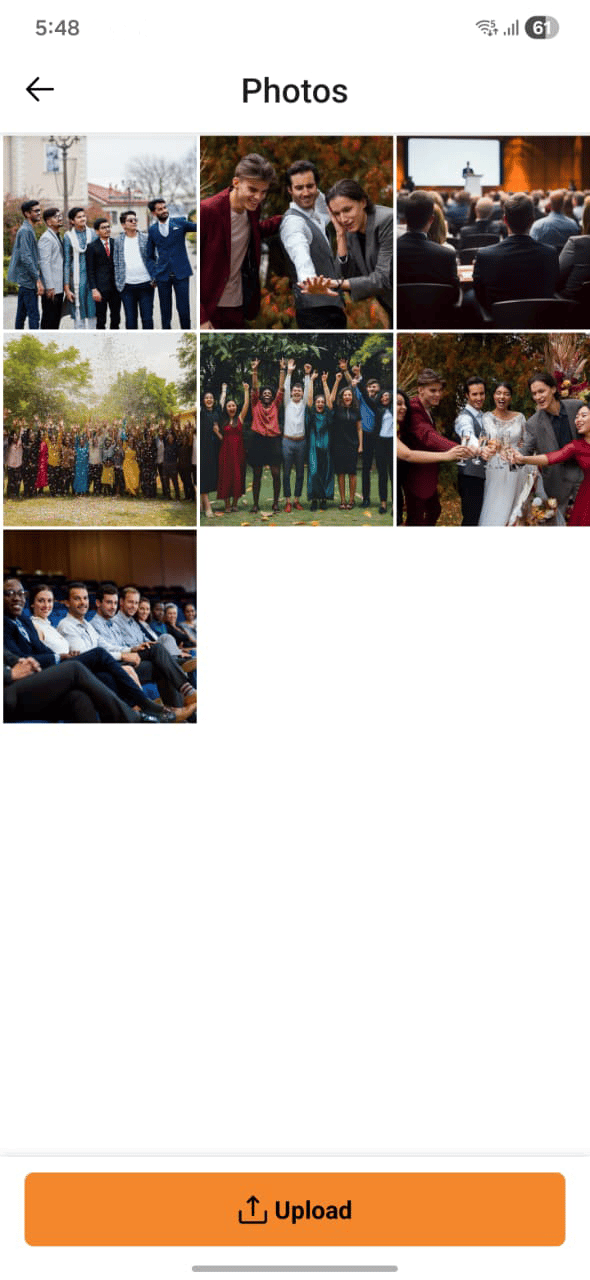 ## Photo albums
Photos are organised into albums. Browse by album type:
| Album type | What's here |
| ---------------- | ------------------------------------ |
| **My Albums** | Albums you've created or uploaded to |
| **Host Albums** | Albums created by the event host |
| **Guest Albums** | Albums contributed by guests |
| **Favorites** | Photos you've marked as a favourite |
| **Deleted** | Recently deleted photos (trash) |
## Viewing photos
Open your event and go to the **Photos** tab to see all photos for that event. Photos from the host and guests are shown together, and you can filter by album type.
## Adding photos
Tap **Add Photos** and select images from your device. Your photos are added to the event album and visible to other guests.
## Favouriting photos
Tap the heart icon on any photo to add it to your **Favorites** album. Favourites are personal — other guests don't see which photos you've favourited.
## Deleting photos
You can delete photos you've uploaded. Deleted photos move to the **Deleted** album and can be recovered for a limited period before they're permanently removed.
You can only delete photos that you uploaded. Hosts can manage photos across the full event album.
## Per-event albums
Every event automatically gets its own album. When the event ends, the album stays accessible so you and your guests can revisit the memories at any time.
## Photo albums
Photos are organised into albums. Browse by album type:
| Album type | What's here |
| ---------------- | ------------------------------------ |
| **My Albums** | Albums you've created or uploaded to |
| **Host Albums** | Albums created by the event host |
| **Guest Albums** | Albums contributed by guests |
| **Favorites** | Photos you've marked as a favourite |
| **Deleted** | Recently deleted photos (trash) |
## Viewing photos
Open your event and go to the **Photos** tab to see all photos for that event. Photos from the host and guests are shown together, and you can filter by album type.
## Adding photos
Tap **Add Photos** and select images from your device. Your photos are added to the event album and visible to other guests.
## Favouriting photos
Tap the heart icon on any photo to add it to your **Favorites** album. Favourites are personal — other guests don't see which photos you've favourited.
## Deleting photos
You can delete photos you've uploaded. Deleted photos move to the **Deleted** album and can be recovered for a limited period before they're permanently removed.
You can only delete photos that you uploaded. Hosts can manage photos across the full event album.
## Per-event albums
Every event automatically gets its own album. When the event ends, the album stays accessible so you and your guests can revisit the memories at any time.