> ## Documentation Index
> Fetch the complete documentation index at: https://docs.fastparty.ai/llms.txt
> Use this file to discover all available pages before exploring further.
# Guest ETA
> Track when guests are arriving with real-time location sharing.
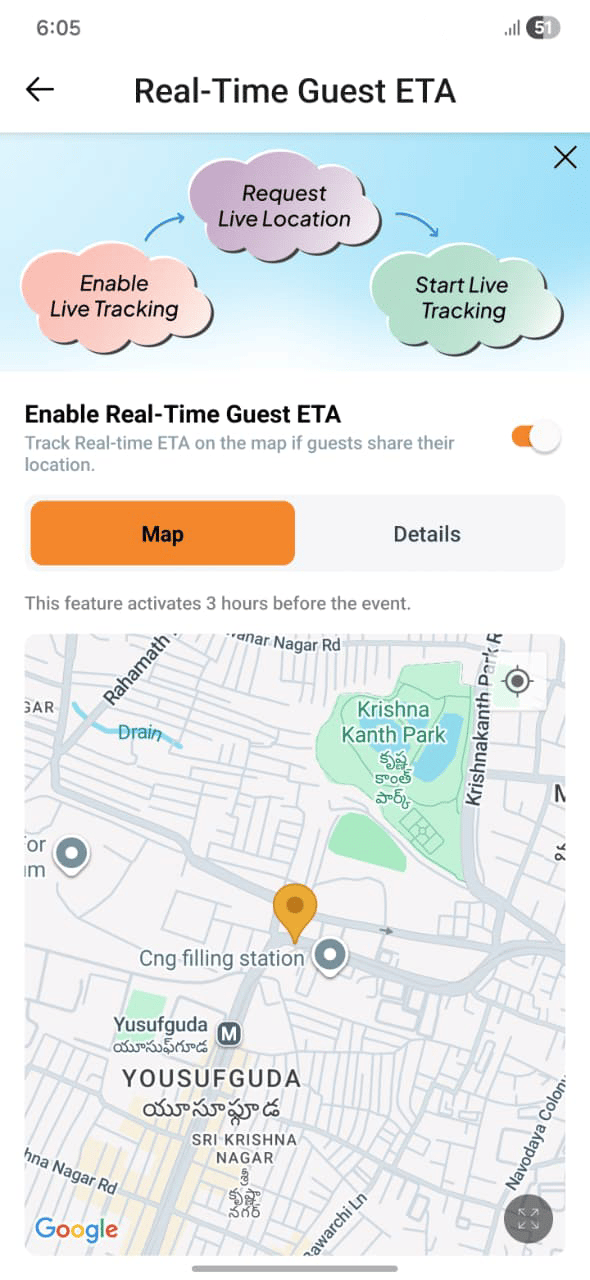
Guest ETA lets guests share their real-time location as they travel to your event. You see everyone on a map with their estimated arrival time — no more "how far away are you?" messages.
Guest ETA requires a venue address to be set on the event. Make sure your event has a location before the day.
 ## How it works
**For guests:**
When they're on their way, guests open the event and tap **Share My Location**. Fast Party tracks their journey and shares their live location and ETA with the host. Guests can stop sharing at any time.
**For hosts:**
Open the **Live Location** view from the event dashboard to see a map showing all guests who have shared their location. Each guest appears as a pin with their name and estimated arrival time.
## Using Guest ETA
Make sure your event has a full venue address, not just a name. This is required for ETA calculations.
On the day of the event, guests tap the location-sharing option from their invitation link. No app install required.
Open the Live Location view from your event dashboard to see who's on their way and when to expect them.
## Privacy
Location sharing is always opt-in. Guests choose when to start and stop sharing. You can see their location only while they've opted in — once a guest stops sharing or arrives, their live pin is removed from the map.
Guest ETA is especially useful for events where timing matters — dinner parties where you're cooking, activities with a strict start time, or any gathering where you need a heads-up to get things ready.
## How it works
**For guests:**
When they're on their way, guests open the event and tap **Share My Location**. Fast Party tracks their journey and shares their live location and ETA with the host. Guests can stop sharing at any time.
**For hosts:**
Open the **Live Location** view from the event dashboard to see a map showing all guests who have shared their location. Each guest appears as a pin with their name and estimated arrival time.
## Using Guest ETA
Make sure your event has a full venue address, not just a name. This is required for ETA calculations.
On the day of the event, guests tap the location-sharing option from their invitation link. No app install required.
Open the Live Location view from your event dashboard to see who's on their way and when to expect them.
## Privacy
Location sharing is always opt-in. Guests choose when to start and stop sharing. You can see their location only while they've opted in — once a guest stops sharing or arrives, their live pin is removed from the map.
Guest ETA is especially useful for events where timing matters — dinner parties where you're cooking, activities with a strict start time, or any gathering where you need a heads-up to get things ready.