> ## Documentation Index
> Fetch the complete documentation index at: https://docs.fastparty.ai/llms.txt
> Use this file to discover all available pages before exploring further.
# Event Links
> Add important external links to your event so guests have everything they need in one place.
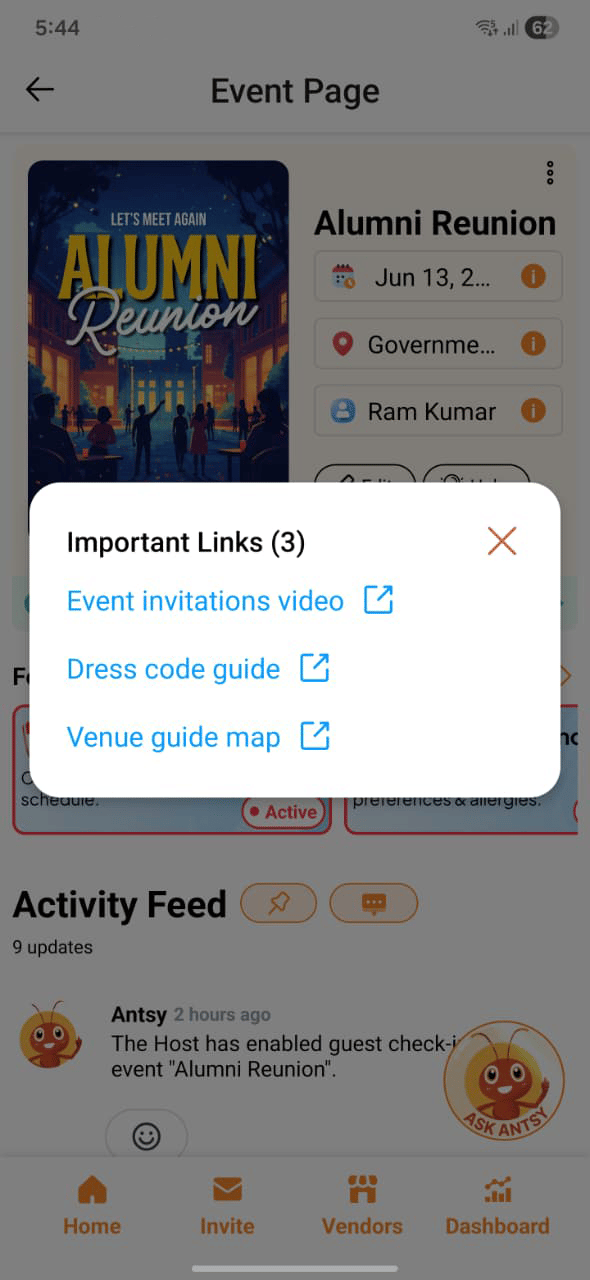
Event Links let you attach up to 3 external URLs to your event, each with a custom label. They appear on the event invitation page so guests can access them directly.
 ## Adding links
Links are added when you create or edit your event. For each link, enter:
* **Label** — a short name that tells guests what the link is (e.g. "Directions", "Dress Code", "Wedding Website")
* **URL** — the full web address
You can add up to **3 links** per event.
## Where links appear
Once added, your links are displayed on the event invitation page — the page guests see when they open their RSVP link. Guests can tap or click any link directly from there.
## Common uses
| Link label | Use case |
| ------------------- | -------------------------------------------------- |
| **Directions** | Google Maps link to the venue |
| **Dress Code** | A page or PDF describing attire |
| **Wedding Website** | Your personal wedding site |
| **Virtual Meeting** | Zoom, Google Meet, or Teams link for hybrid events |
| **RSVP Details** | A form or page with additional registration info |
| **Venue Website** | The venue's homepage or booking page |
Use descriptive labels so guests immediately know what they're clicking. "Venue Map" is clearer than "Link 1."
## Adding links
Links are added when you create or edit your event. For each link, enter:
* **Label** — a short name that tells guests what the link is (e.g. "Directions", "Dress Code", "Wedding Website")
* **URL** — the full web address
You can add up to **3 links** per event.
## Where links appear
Once added, your links are displayed on the event invitation page — the page guests see when they open their RSVP link. Guests can tap or click any link directly from there.
## Common uses
| Link label | Use case |
| ------------------- | -------------------------------------------------- |
| **Directions** | Google Maps link to the venue |
| **Dress Code** | A page or PDF describing attire |
| **Wedding Website** | Your personal wedding site |
| **Virtual Meeting** | Zoom, Google Meet, or Teams link for hybrid events |
| **RSVP Details** | A form or page with additional registration info |
| **Venue Website** | The venue's homepage or booking page |
Use descriptive labels so guests immediately know what they're clicking. "Venue Map" is clearer than "Link 1."